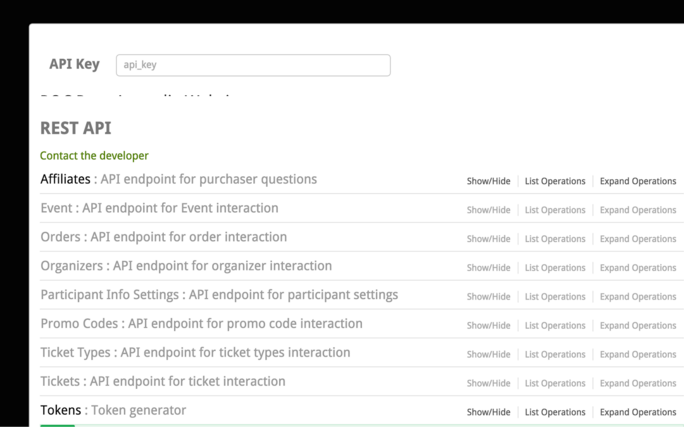
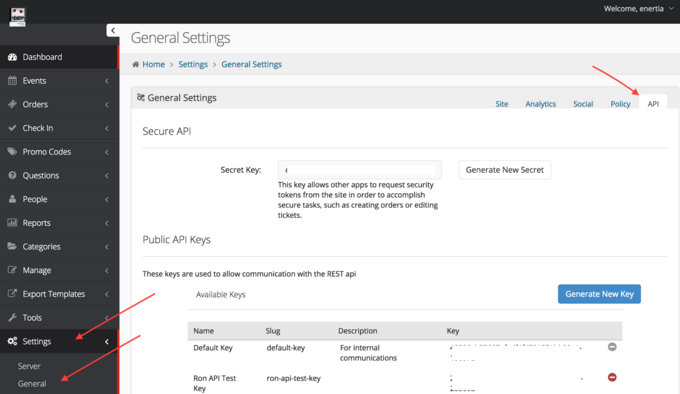
1. After logging in to the admin, Go to Settings -> General -> API
- Here you can regenerate your secret to invalidate all public keys or issue any new public keys
- These public keys will be used to generate JWT tokens to grant access to the API
2. Generate the JWT (example)
- POST [YOUR_DOMAIN]/api/v1/docs
- JWT are only valid for 24 hours
Step 1: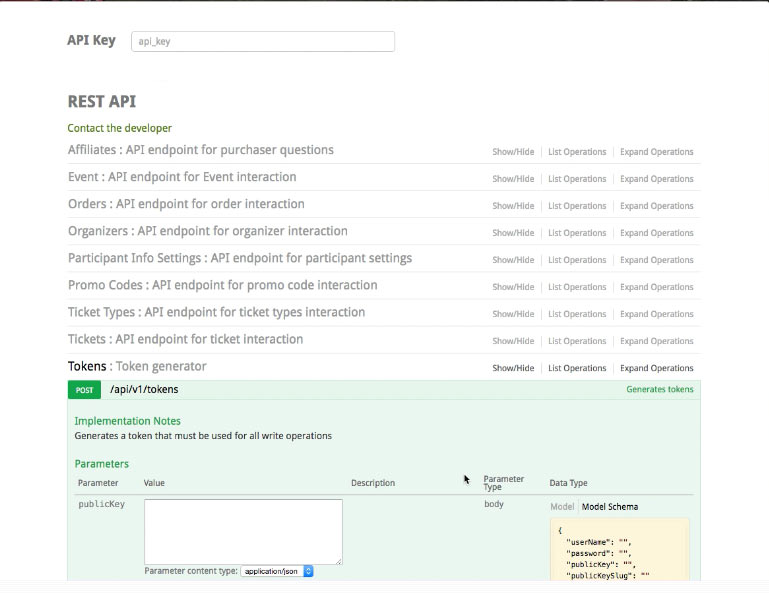
Step 2: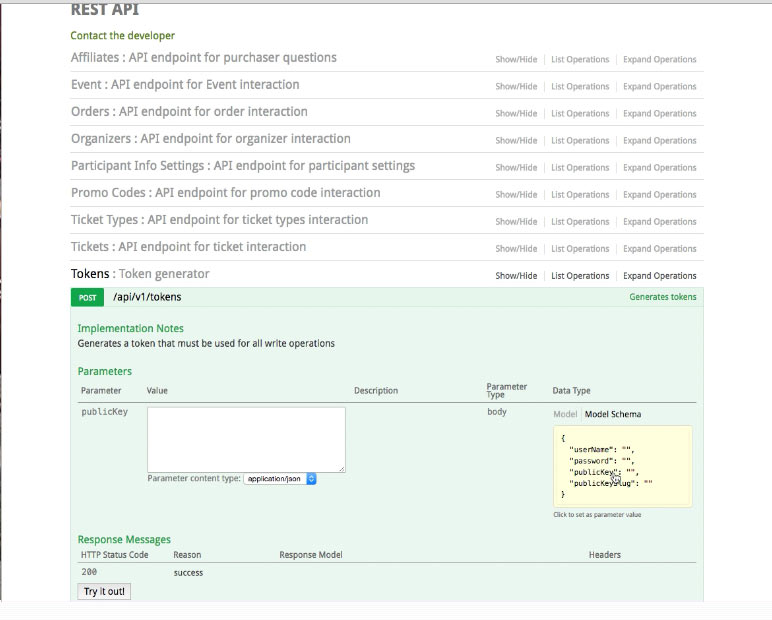
Step 3: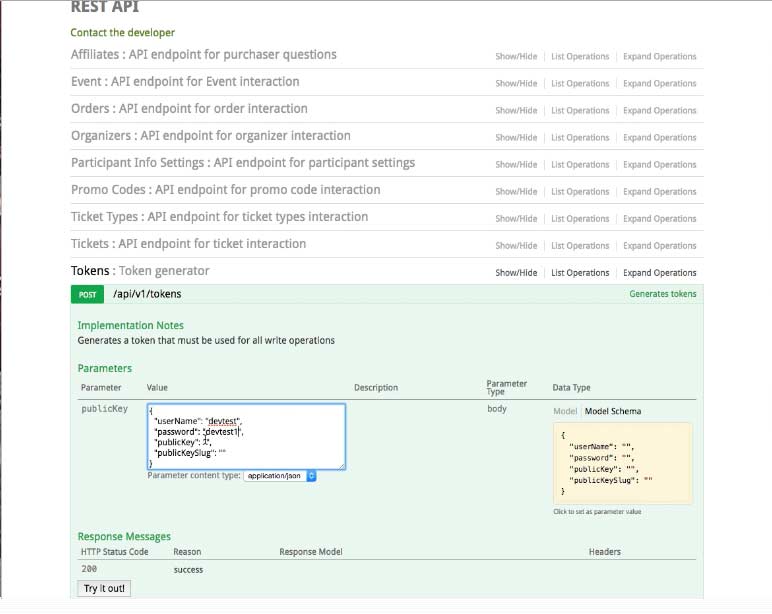
Step 4:
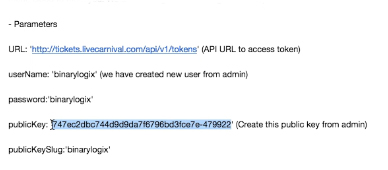
Step 5:
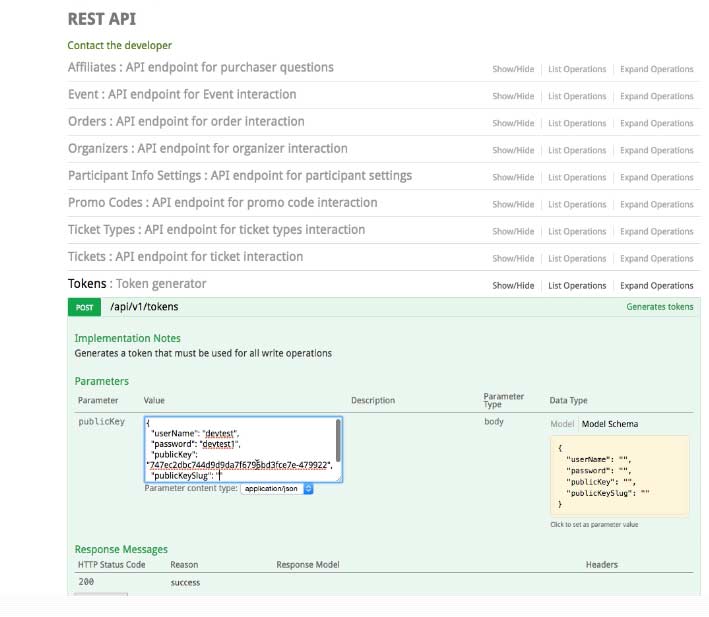
Step 6:
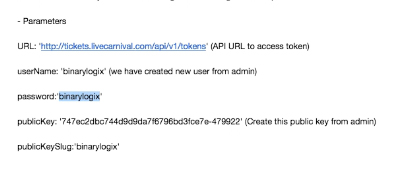
Step 7:
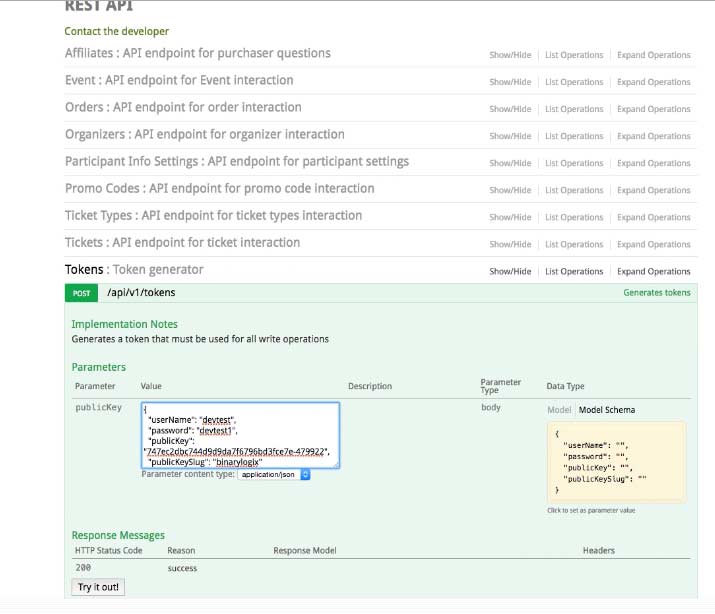
Step 8:
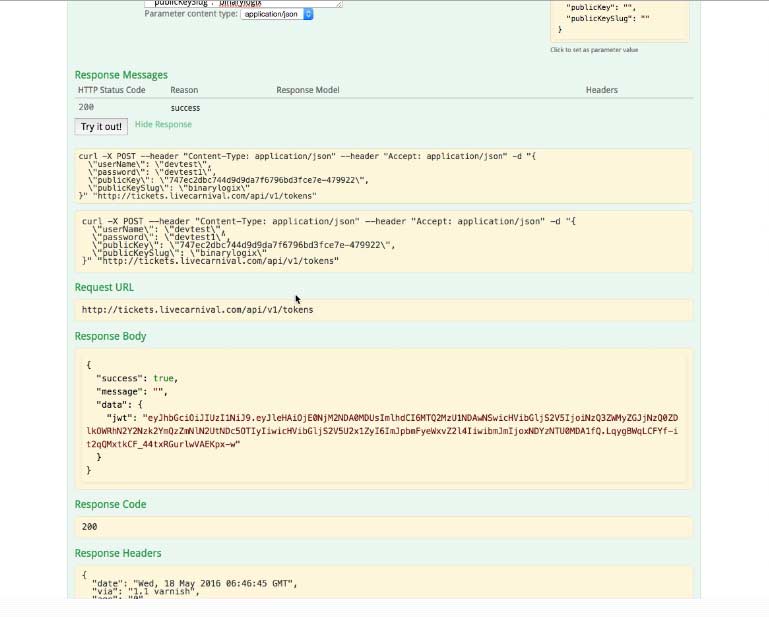
Step 9:
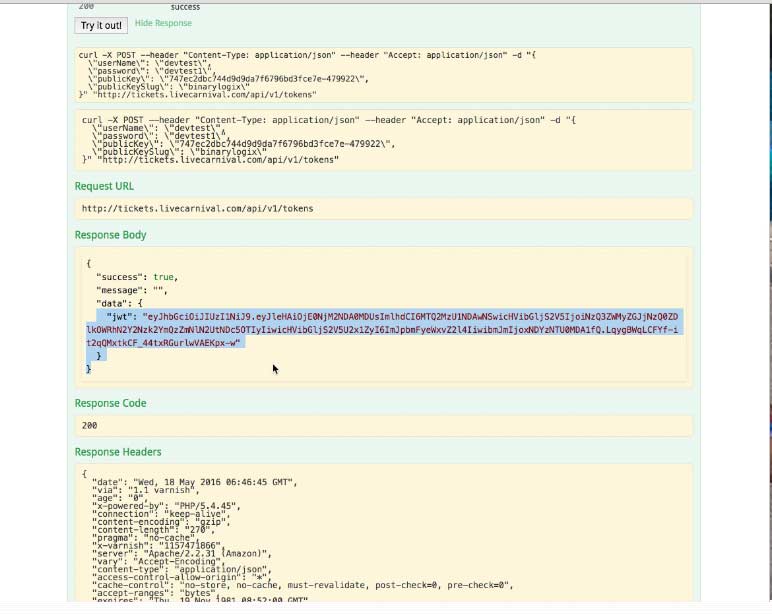
3. Once the JWT is generated, each API must include the following header
- Authorization: Bearer [JWT]
- You may paste the jwt at the top of the docs to test